Rich event capture
Create events with titles, notes and supporting details so each moment carries the context you need later.
Timelined helps you capture events, add context, and see how everything connects. Build personal histories, track projects, document journeys, or organise important records in one clear place.
Designed for iPhone and iPad but also runs on Apple silicon Macs.
Capture rich events
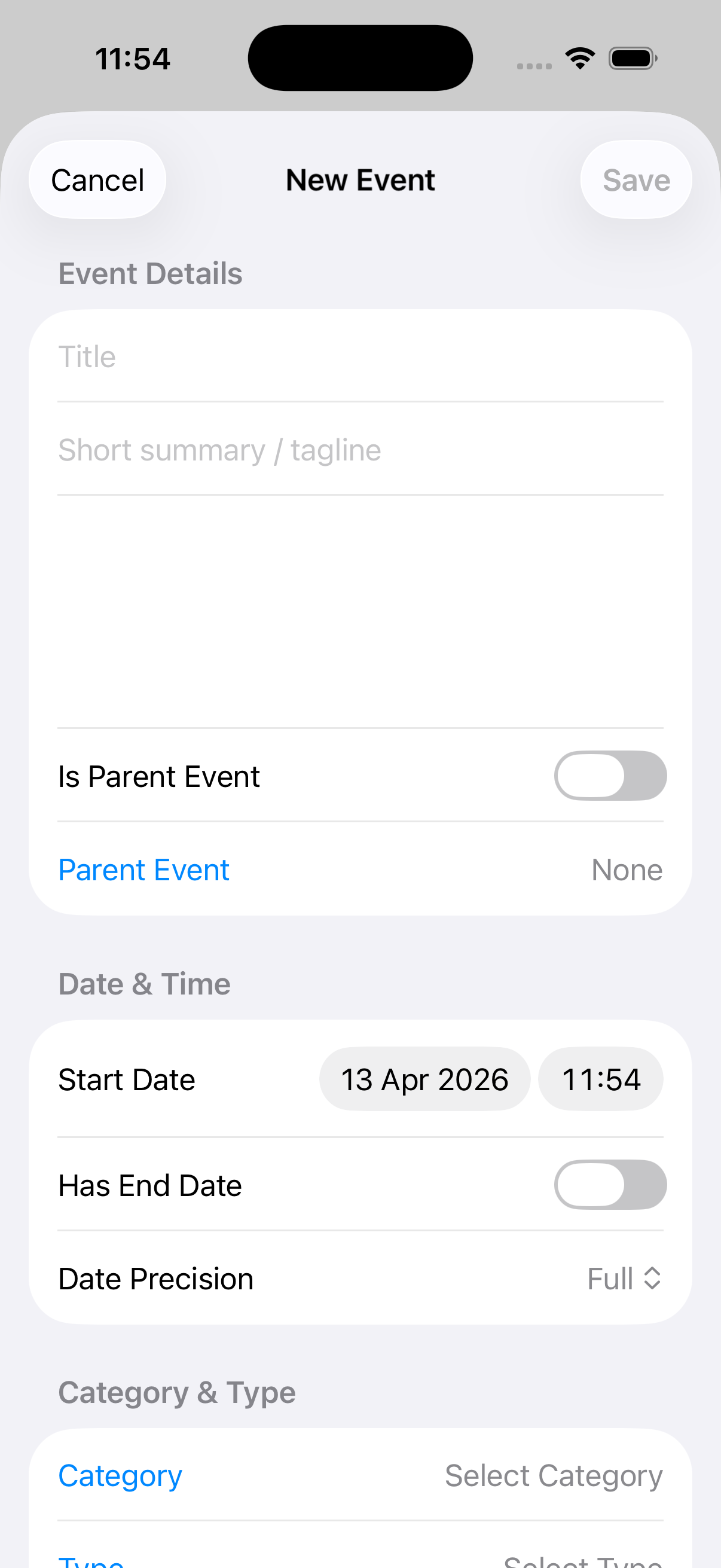
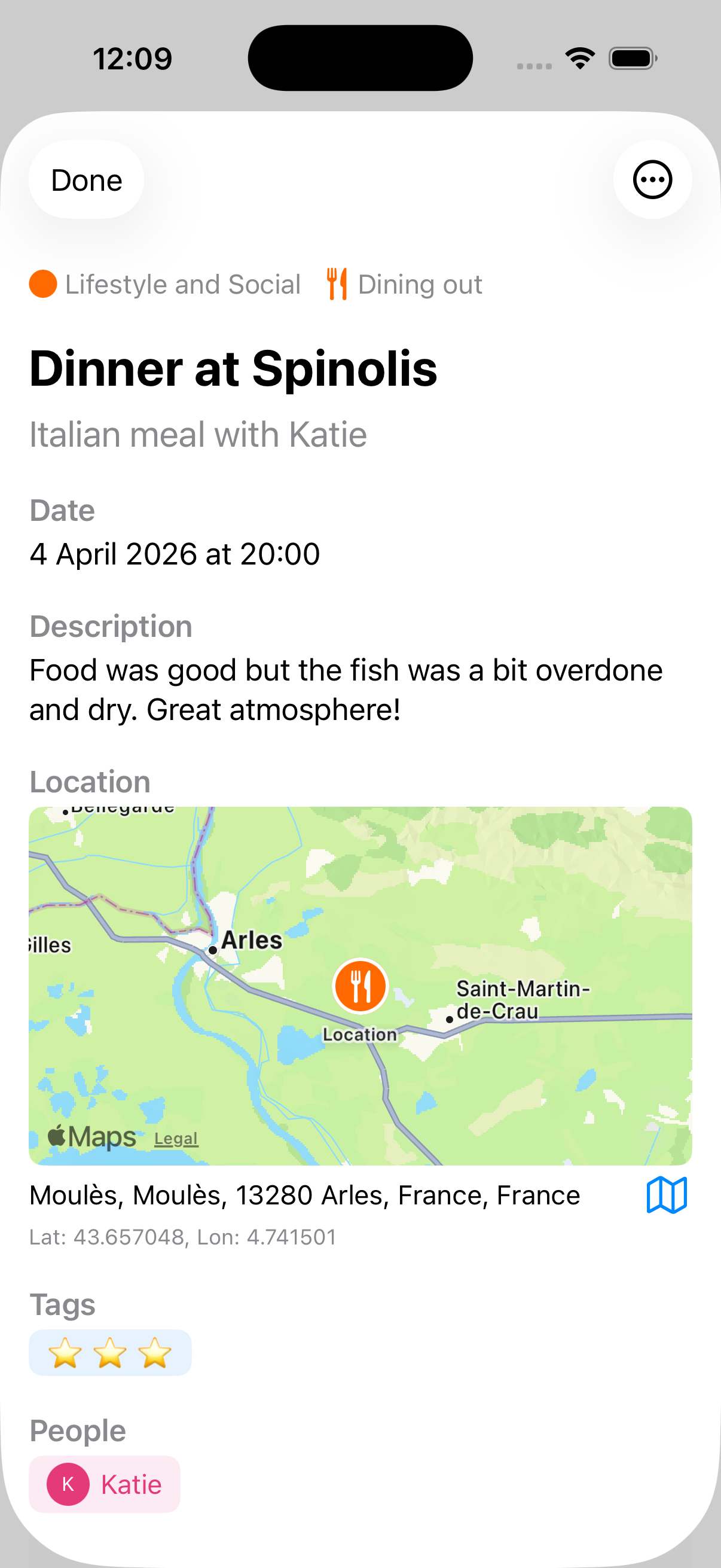
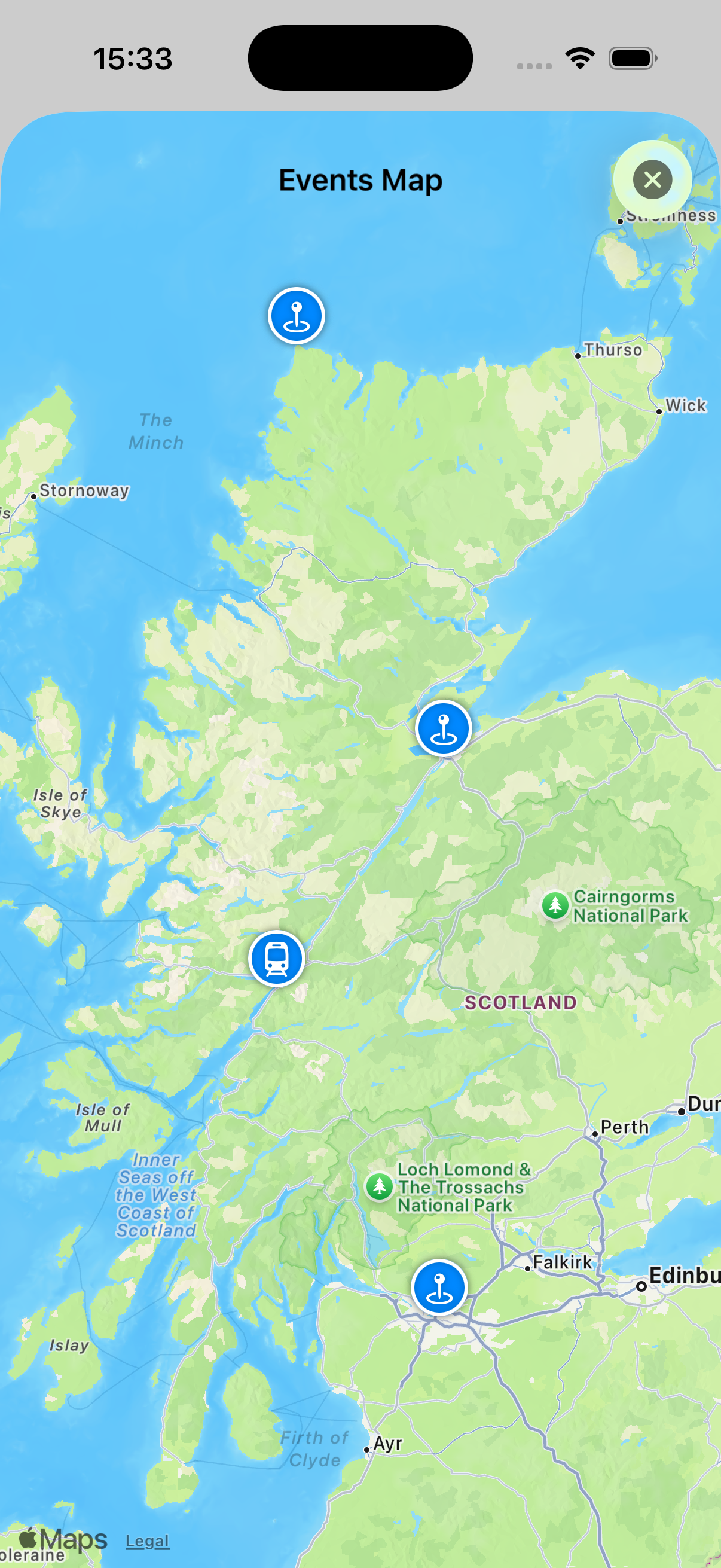
Store dates, notes, links, photos and location details together.
Stay flexible
Support precise dates, ranges, uncertain timing and evolving timelines.
Find what matters
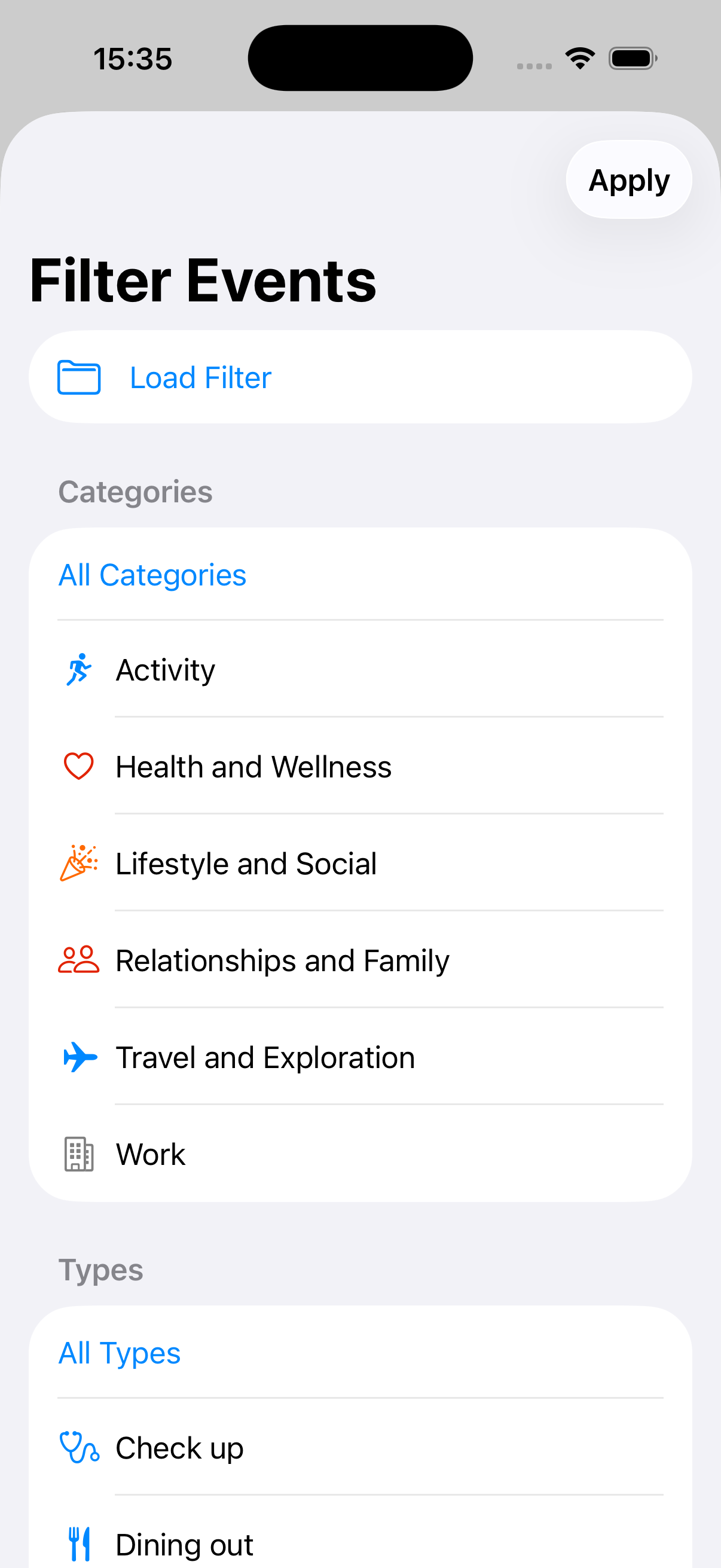
Use filters to focus on the part of the timeline you need most.

Timelined
A clearer way to understand events over time
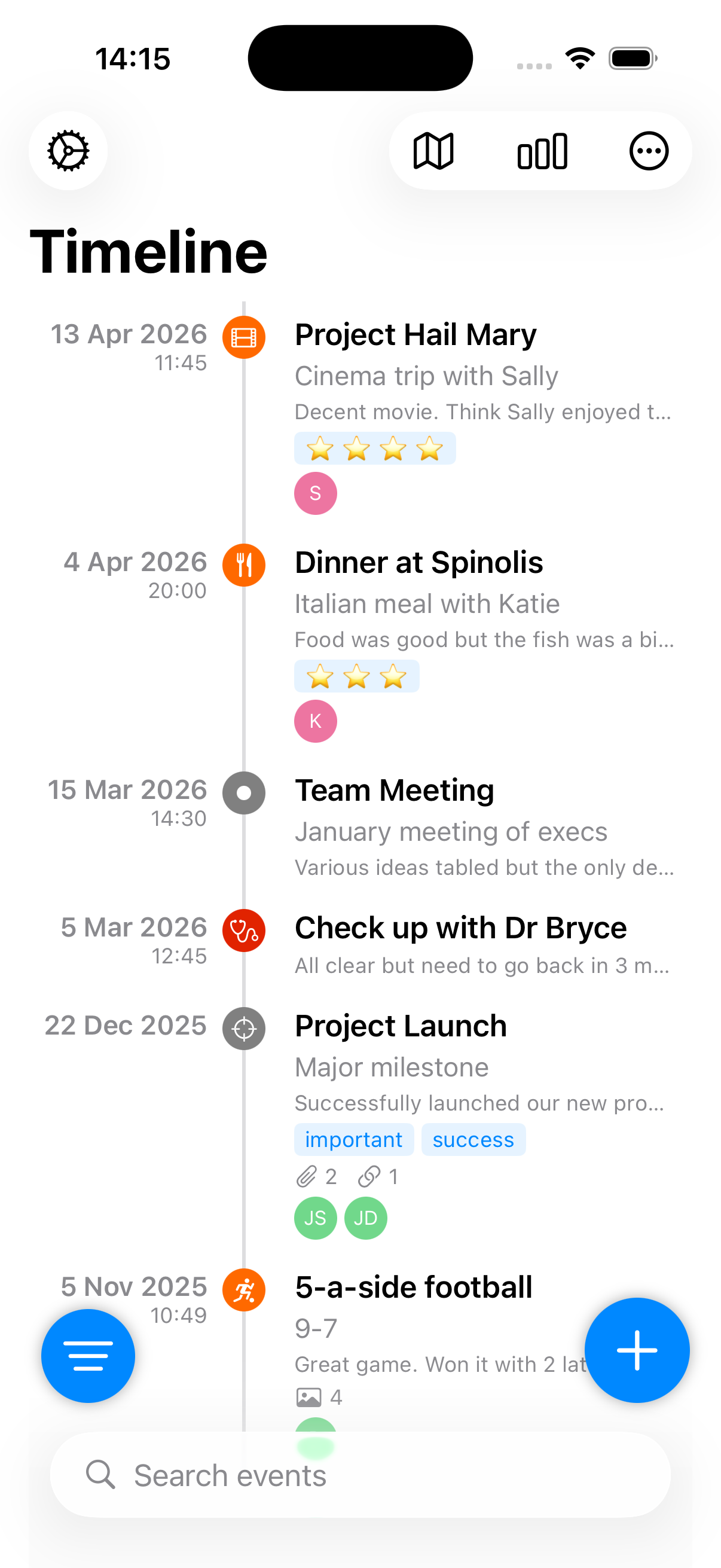
Why Timelined works
Instead of scattering information across notes, calendars, photos and bookmarks, Timelined keeps each event together so you can understand what happened and when.
It is designed for people who need a timeline that feels calm, structured and flexible enough for real stories, not just rigid date entries.
Main features
Create events with titles, notes and supporting details so each moment carries the context you need later.
Work with exact dates, wider ranges or less certain timing without forcing every event into the same shape.
Attach locations, websites, documents and images to turn a simple record into something easier to revisit and understand.
Narrow in on the events that matter right now instead of losing the thread in a longer timeline.
What sets Timelined apart
Timelined is especially strong when events belong together, when you need to surface a specific slice of life quickly, and when your records need to stay usable over time.
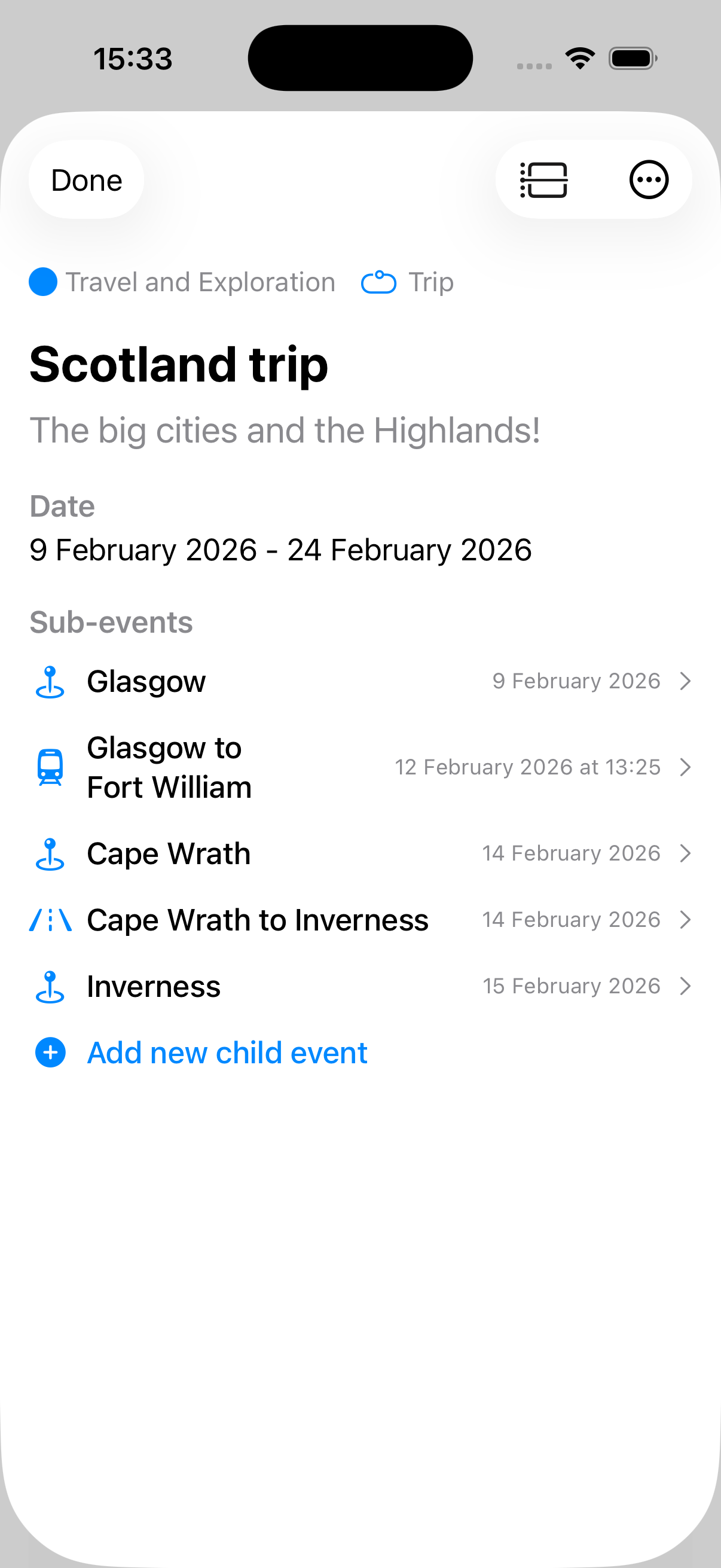
Group related events under a larger parent event, such as a trip with all the places visited inside it, or a house move with viewings, paperwork, completion and settling-in milestones beneath it.
Use flexible filtering to cut through busy timelines and focus on the events that matter for the task in front of you, whether that is health records, family history, car maintenance or anything related to your home.
Keep important views ready to hand so you can return instantly to your most useful collections instead of rebuilding the same search every time.
See Timelined in action
This walkthrough follows the main flow of the app: creating events, adding detail, grouping them into larger stories, then filtering and reviewing the right slice of your timeline.
Click or tap the titles below to switch the screenshot and view a short explanation over the image.
Key use cases
Timelined is broad enough for personal use and structured enough for detailed record-keeping. Here are a few of the clearest ways to use it.
Capture milestones, memories and life events in a format that makes patterns and progress easier to see.
Organise the sequence of important moments, people and places without relying on scattered notes.
Track progress, decisions and turning points across longer periods so nothing important gets lost.
Build richer event histories with places, links and media that bring each entry back to life.
Built to adapt
Timelined is designed to flex around the way people actually organise their information. You can shape the structure around your own categories, types, tags and people, then control how much or how little detail appears in the timeline view itself.
Add and customise reusable categories, event types, tags and people so the app reflects your own way of organising events.
Use the URL scheme to create and open events programmatically when you want Timelined to fit into a wider workflow.
Keep websites, places, notes and media attached to the right event instead of split across multiple tools.
Choose exactly how much information is shown in the timeline so you can keep the view minimal or make it rich with supporting context.
From the blog
Visit Shaking the Habitual for Timelined updates, walkthroughs, and useful ideas for getting more from the app.
Support and guidance
The Timelined help collection includes guidance on events, filters, settings, the URL scheme, and privacy so users can go deeper when they are ready.
Create and manage events
Learn the basics of building your timeline.
Use filters effectively
Focus on the right segment of your timeline.
Configure settings
Tailor the app to the way you work.
Explore automation
Use the URL scheme in advanced workflows.